With the growing number of GoPro and other sports cameras on the market these days, YouTube now hosts thousands of videos from riders eager to share their experience with the world. So why are most of them so goddamn boring? 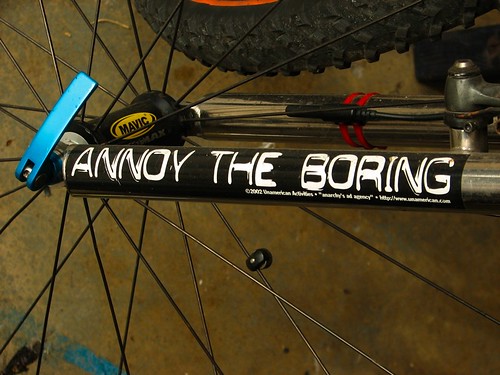
Here’s a few tips to guarantee that your video will be more boring than a cliché about drying paint.
1. Make sure it’s too long.
People have really long attention spans and nothing else to do, so make sure you include every possible scrap of footage you captured.
2. Don’t be selective or edit your clips.
Who cares if the interesting part is only 5 seconds long. People need to see the 3 minute lead up, don’t they?
3. Make sure it’s shaky as hell.
We’ll, it was a bumpy road – you want people to experience what it was really like, no? If they end up feeling sea sick, even better!
4. Don’t bother with narrative or any sense of storyline.
Just throw any random clips together and let people make their own interpretation as to what the point of it all is!
5. Never vary the scene/viewpoint.
Never mix in any cutaways or shots taken from different perspectives, as this could introduce unnecessary elements of visual interest, which could result in people watching the whole video all the way to the end.
6. Keep the soundtrack as painful as possible.
No, don’t mute that road buzz/bike clatter/wind rush. It only heightens the immersive experience. “It’s like you’re really there, dude!” said no one, ever.
7. Impose your musical taste on everybody.
Choose the most irritating, mindlessly repetitive piece of techno trash you can find, and loop it over the entire film. Everyone loves the same music as you, so play it LOUD, they’ll love it.
8. Compress it to death.
For an added yawn factor, be sure to render your movie at a low bitrate. The resulting pixellated, blocky footage will add a touch of lo-fi class. Not.
What does this all really mean?
Just in case you didn’t pick up on the deliberate sarcasm in the points above, here is the bottom line. Points to bear in mind when you’re editing your footage.
1. Keep it short. A few minutes is ideal. The longer it is, the more amazing it’s going to have to be in order to hold attention.
2. Edit. Edit hard. If in doubt about a particular bit of footage, ask yourself if it adds anything to the overall piece or if it’s just more of the same? Look for the little details in the footage and crop around them. People expect fast paced, quick cuts so distill it down to the bare essence. In my recent films, about 90% of the available footage never made it into the final edit. The result? A 5 minute film that most people actually watch all the way through.
3. Consider stabilising the footage if you think it would be beneficial. Depending on the quality, it may not be necessary.
4. Try to build in a sense of storyline or sequence, with a beginning, middle and end, so there’s a point to it all.
5. When you’re capturing your footage, make a point of getting some additional filler scenes to break it all up a bit. Think of different scales, so for example, capture views of the landscape, or close ups of anything interesting – some wildlife, your bike, your coffee. Anything to break up the video. You might only use 2 seconds of it, but it can really help to have this kind of filler footage.
6. Pay attention to the various levels of your audio track. If you’re using music, it’s often better to completely mute the footage audio.
7. Music is so subjective, you’ll never please everybody. So mix up the music a little, and you might just be be able to provide something for everyone. If you time your edits well, so that the cuts occur on the beat, it will seem more natural and won’t feel disjointed.
8. Render at the best bitrate you can for maximum quality. YouTube allows viewers to watch the clip in HD, if the original footage is a suitable resolution. (For a list of features you might want to consider in a cycling camera, you’ll want to see this post.)
Now, I’m no Spielberg, so if you look through my videos you will no doubt find examples of every single mistake listed here. It’s a learning process, and a skill to refine over time as experience is gained. Ask people what they think, their honest feedback will be valuable to you! If you’re guilty of any of the above, and you manage to change your approach in just one area, your film will be stronger as a result.
Here’s my latest effort.
Your turn
Have you made any cycling movies?
Post the link in the comments, or why not share your tips for creating movies worth watching?

I can’t watch it, it’s been blocked in my country due to Ice Nine Publishing, which bums me out cuz I’d love to see how you used the GD in your video. Which song BTW? And thanks for the post, I’ve been creating videos for a little over a year. Here’s my effort from the NYC Triathlon: http://vimeo.com/70859154
Oh that’s annoying. Jerry wouldn’t have approved of that! There’s a clip where we are racing against a steam train, and so I used a little clip of of Casey Jones. I usually try to stick to Creative Commons music, but in this case the footage was begging for it. You might be able to view it if you Google for “youtube proxy” and play around ;-)
Great Tri movie, Btw!
Thank you for these tips. This year I plan to cycle less but make better video’s. He
https://vimeo.com/104426519
https://vimeo.com/97067173
https://vimeo.com/74562719
https://vimeo.com/137384345
It’s a balancing act isn’t it? I find that editing the footage from a ride can take a lot longer than the ride itself did!