
My Android phone had this “insufficient storage” problem for months, despite having lots of free space. Here’s a fix that actually works.
Grab my FREE ebook - the Century cheat sheet!
- Feel confident about your next big ride
- Learn the techniques the experienced riders use
- Still feel strong at the end!


Just some of the many TUTORIALS on the site…
How to set your Home location on a Garmin Edge 800
Remember when you got your first car sat nav, and you could set your Home location, so that no matter where you were, you could always get it to navigate you back home? Read on to find out how your Garmin Edge 800 can do the same thing.

Readers questions: Transfer GPX file to Garmin?
I frequently get questions from readers, and one that crops up quite often goes something like this – “I’m doing a sportive event soon and I’ve downloaded the GPX of the route. How do I transfer the GPX file to my Garmin?”
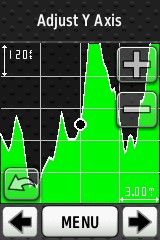
How to use your Garmin Edge elevation screen to climb hills more effectively.
Hills are the marmite of cycling. Some love them, others will do anything to avoid them. Here’s a technique anyone can use to gain a psychological advantage when climbing hills, using a Garmin edge GPS.
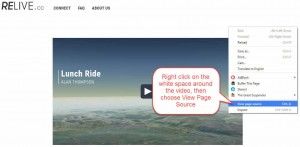
How to embed Relive.cc videos in your blog posts (on WordPress sites)
Relive doesn’t provide an embed code for you to embed Relive videos in your own blog(yet?) But if you use WordPress, the solution may be easier than you think

How to tell if someone used Digital Epo to cheat on Strava
Digital EPO allows people to alter their GPS data to make their ride appear faster than it actually was. But how can you tell if someone has actually used it or not? Are there any telltale signs? It appears that there are…